
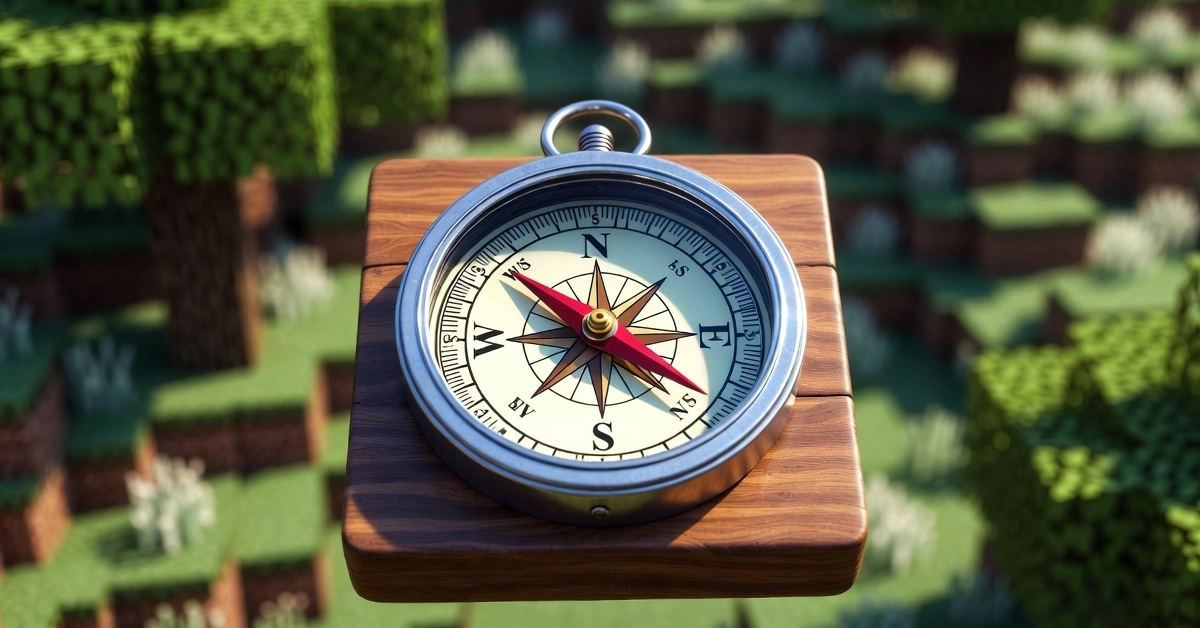
Ever dug too deep, wandered into the Nether, and suddenly realized you’re totally lost? Your stuff’s back at base, mobs are closing in, and that spinning needle on your compass isn’t helping. We’ve all been there—frustrated, turned around, wishing for a simple way home. Good news: the Minecraft compass is your best navigation tool, especially in 1.21.11 and 1.21.130 worlds. This article walks you through everything, from crafting your first one to pro tricks like lodestone linking and recovery compasses. No more getting stranded. Let’s get you pointed in the right direction.
Key Takeaways
- Minecraft Compass points to spawn, not your bed: Set up a lodestone at home to fix that.
- Super easy to get: Craft with iron and redstone, or loot from villages (26% chance).
- Recovery Minecraft compass saves your gear: Points right to your death spot—game-changer after a bad fall.
- Works everywhere with lodestone: Even Nether and End, no spinning nonsense.
- Quick fix for issues: Re-link or use commands like /setworldspawn for servers.
What Is Minecraft Compass?
Default Usage & Limits
Lodestone Minecraft Compass Basics
Enter the lodestone: Your custom GPS anchor. Right-click a lodestone block with a regular compass, and it turns into a lodestone compass with a shiny glint. Now it points to that lodestone, no matter the dimension. Destroy the lodestone? It spins until you replace it exactly—storage like chests buys time to fix it.
How to Craft a Compass
Grab four iron ingots and one redstone dust. Open your crafting table: Place redstone in the center, iron ingots in a square around it. Minecraft compass ready. Iron’s easy at Y=15, redstone down at Y=-59. No furnace needed if you smelt on-site.
Master Lodestone Compass
Lodestone changed everything since 1.16. Now in 1.21, it’s even easier: Craft with one iron ingot in the center, eight chiseled stone bricks around. Chisel stone bricks from stone—fully renewable. Place it at your base doorstep. Right-click to link. Multiple compasses can point to the same one—give ’em to your squad. Works cross-dimension: Nether base? Link before portal. Versus default compass: This one’s your personal home pointer. Versus maps: Lighter, no paper hunt. I set one up after dying to a warden—never lost my diamond stash again.
Common Lodestone Pitfalls
Spins in the wrong dimension? Carry unlinked ones. Multiplayer mix-up? Share exact coords via chat: “Lodestone at X=100 Y=70 Z=-50.” Broken? Mine and replace precisely—pistons won’t budge it. Ruined portals now loot them (66.7% chance)—freebies!
Recovery MinecraftCompass Guide?
- Same dim only.
- Spins otherwise.
- No lodestone use.
Versus regular: Death-specific, rarer shards.
Best Loot & Trade Spots.
Skip crafting—hunt loot. Top picks:
- Village cartographer chest: 26.3%—safest, closest.
- Ancient city chest: 16.1%—scary but rewarding.
- Shipwreck map chest: 7.7%.
- Stronghold library: 10.9% Java, 10.5% Bedrock.
- Trial chambers barrel: 5.9%—new in 1.21, vaults nearby.
Trades: Cartographer apprentice (8 emeralds), master (14). Librarians for backups. Stats show villages win for beginners—low risk, high reward.
Pro tip: Explorer maps from cartos lead to trials/strongholds—double dip.
Advanced Uses: Maps & Commands
Command list:
- /setworldspawn ~ ~ ~
- /give @p compass{display:{Name:'{“text”:”Tracker”}’}} 1
- Tag and data are modified for live updates.
Versus mods: Vanilla works everywhere.
Fix Spinning Minecraft Compass Issues
Nether spins? Link the lodestone first. Bed myth: Nope, not to bed—lodestone at bed solves it. Broken link: Re-craft or replace block.Troubleshoot steps:
- Check the dimension match.
- Verify lodestone exists.
- Update to 1.21.11—no bugs there
- Storage trick: Stow during rebuild.
Real story: My compass glitched post-explosion—quick replace fixed it.
Java vs Bedrock Compass Diffs
Minor tweaks:
- Loot: Stronghold 10.9% Java vs. 10.5% Bedrock.
- Maps: Java crafts easily; Bedrock anvil.
- Trades: Bedrock cartos biome-specific.
- Data: Java components, Bedrock fields.
- Preview: Bedrock crafting table points true.
Both stack 64 now—parity win.
Conclusion
Getting lost in Minecraft doesn’t have to ruin your adventure. With the right compass—whether it’s a basic Minecraft compass, a lodestone compass, or a recovery compass—you can always find your way back home, your loot, or your base. Learning how to craft them, link them to a lodestone, and fix spinning issues gives you complete control over navigation in any dimension.
No matter where you explore in Minecraft 1.21+, a reliable compass keeps you safe, prepared, and confident. Start crafting one today, link your lodestone at home, and enjoy stress-free exploring across the Overworld, Nether, and End.